

The Apex Beast: Why You Don’t Have to Pay Overpriced Big-Box Markups for the Ultimate Custom Gaming PC
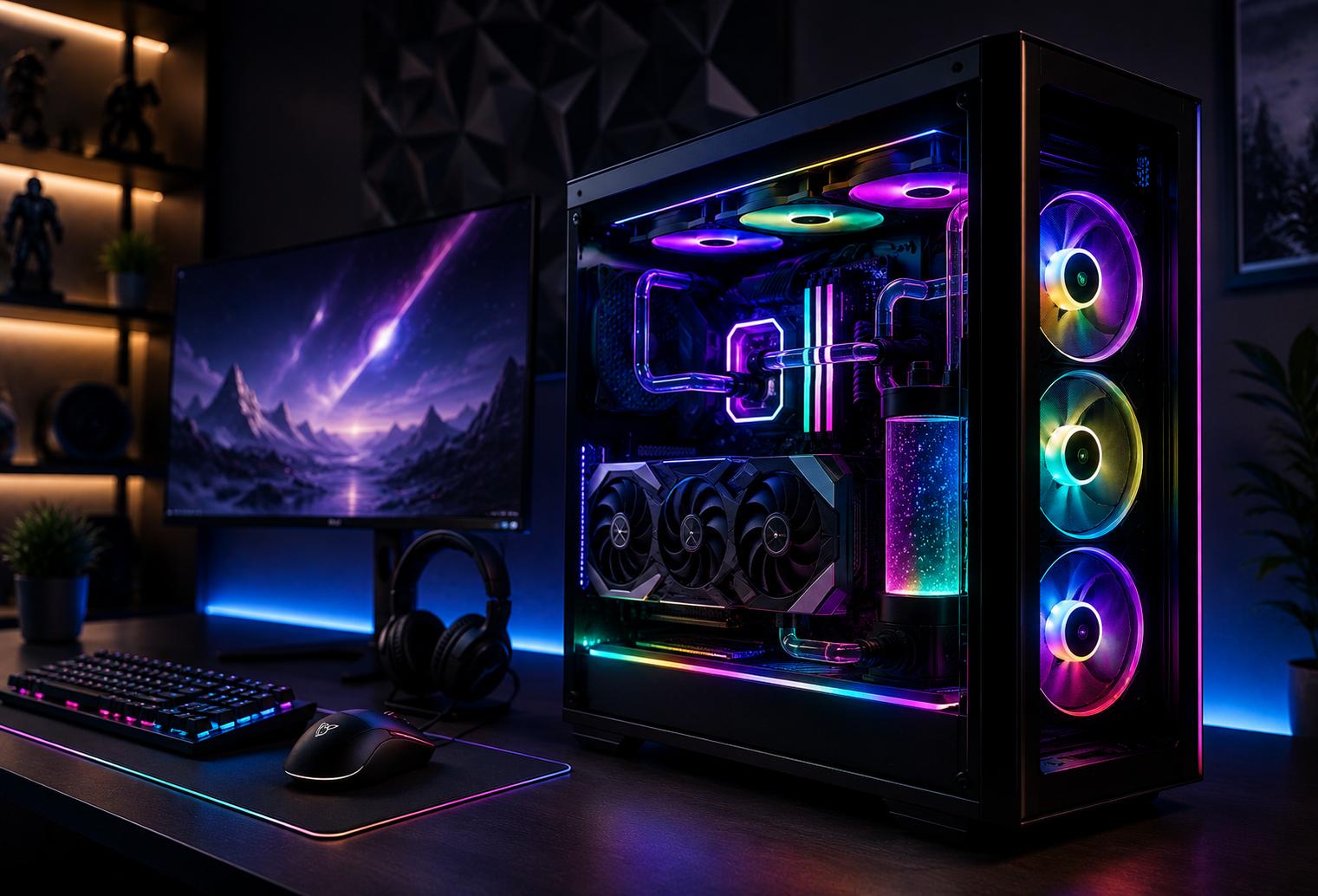
For gamers in South Ogden, buying a high-performance PC can feel like a choice between an expensive prebuilt system and the uncertainty of putting everything together yourself. A custom gaming PC offers another option: put the budget toward the components and performance that actually matter instead of paying for features, branding, or bundled extras you may not need.
The Apex Beast represents that approach. Rather than starting with a mass-produced configuration and accepting whatever hardware combination comes in the box, a custom gaming PC can be planned around the games you play, the resolution and frame rates you want, your upgrade plans, and your actual budget.
Quick answer: You do not have to pay a big-box premium to get an ultimate gaming PC. A properly planned custom system lets you prioritize the graphics card, processor, cooling, memory, storage, power supply, and case around your specific performance goals. For South Ogden gamers, buying locally can also make it easier to discuss the build, understand component choices, and get help without relying entirely on remote support.
What local gamers should know
-
A higher retail price does not automatically mean a gaming PC has better-balanced components.
-
Your graphics card and processor should match the games, resolution, refresh rate, and other tasks you actually expect to run.
-
Gamers around South Ogden, Ogden, Washington Terrace, and Riverdale can benefit from comparing complete system specifications rather than shopping by brand name alone.
-
Cooling deserves serious attention in a powerful gaming system, especially when components will spend hours operating under sustained gaming loads.
-
A custom PC can make future upgrades easier when the case, motherboard, power supply, and cooling system are chosen with expansion in mind.
Why Does a Custom Gaming PC Make Sense in South Ogden?
A custom gaming PC makes sense in South Ogden because it allows local gamers to build around their actual performance goals instead of accepting a standardized retail configuration. That can mean spending more of the budget on meaningful gaming hardware and less on components, software bundles, or branding that do not improve the experience you care about.
Gaming interests across Weber County are not all the same. One player may want extremely high frame rates for competitive shooters, while another wants maximum visual quality in demanding single-player games. Someone attending Weber State University might need the same computer for gaming, programming, schoolwork, video editing, or streaming.
The ideal hardware combination changes with those priorities.
At B & L Custom Computers, we approach a gaming PC as a complete system rather than a collection of impressive specifications. Our goal is to help local buyers understand where their money is going and why each major component belongs in the build.
What Actually Makes an “Apex Beast” Gaming PC?
An Apex Beast gaming PC is defined by balanced high-end performance, not simply by choosing the most expensive component in every category. The processor, graphics card, cooling, memory, storage, motherboard, power supply, and airflow all need to work together to support the gaming experience the owner wants.
The graphics card is often one of the biggest performance considerations for modern gaming, particularly at higher resolutions and graphics settings. But installing a powerful GPU without considering the rest of the system can create an expensive build that is poorly balanced.
Processor choice matters for high-frame-rate gaming, simulation-heavy titles, multitasking, streaming, and productivity workloads. Memory capacity and speed influence responsiveness. Fast storage affects load times and everyday usability. A quality power supply needs enough appropriate capacity for the selected hardware.
Even the case matters. Airflow, component clearance, cable management, noise, and future upgrade space can influence how enjoyable the computer is to own.
That complete-system thinking is what separates a purposeful custom build from a specification sheet designed mainly to look impressive.
Where Can Big-Box Gaming PC Costs Hide?
Big-box gaming PC costs can hide in branding, preset configurations, bundled software, proprietary parts, and component choices that are difficult to evaluate from the headline specifications alone. That does not mean every prebuilt computer is a poor value, but it does mean buyers should look deeper than the processor and graphics card names on the display card.
A retail PC may advertise an attractive CPU and GPU while providing less information about the motherboard, power supply, cooling solution, storage configuration, or memory setup.
Those supporting components matter.
For a gamer near Harrison Boulevard, Washington Terrace, Riverdale, or the Weber State area, comparing computers should involve the entire parts list. Ask what motherboard is installed. Check memory capacity and configuration. Look at storage. Understand the power supply. Consider case ventilation and cooling.
Two computers with similar headline specifications can offer very different ownership experiences.
What Are the Warning Signs of a Poorly Balanced Gaming PC?
A poorly balanced gaming PC often reveals itself through mismatched hardware, limited upgrade flexibility, inadequate cooling, or vague component information. Buyers in South Ogden should look beyond RGB lighting and promotional labels before committing to an expensive system.
Watch for these warning signs:
-
The seller highlights the CPU and GPU but provides few details about other components.
-
The power supply brand, model, or capacity is difficult to determine.
-
The system has limited airflow for the level of hardware installed.
-
Storage capacity is too small for the games and applications you regularly use.
-
Memory capacity or configuration appears weak compared with the rest of the system.
-
Proprietary components could make future upgrades more complicated.
-
The computer includes expensive features you do not actually need.
-
The build price rises substantially without a clear explanation of what performance or capability the added cost provides.
A premium gaming PC should be understandable. You should know what you are buying and what each major part contributes.
When Should You Work With a Custom PC Professional?
You should consider working with a custom PC professional when component compatibility, cooling, power requirements, assembly, troubleshooting, or performance planning go beyond what you want to handle yourself. Building a PC can be a rewarding DIY project, but there is no requirement that every gamer become a hardware technician.
Experienced DIY builders may be comfortable researching motherboard compatibility, BIOS support, RAM specifications, GPU dimensions, cooler clearance, power requirements, cable routing, and operating system setup.
Other buyers simply want a machine that fits their goals.
For South Ogden residents who would rather spend time gaming than comparing dozens of part numbers, working with a local computer professional can simplify that process.
What Common Mistakes Make a High-End Gaming PC More Expensive?
The most common expensive gaming PC mistakes are overspending on parts that do not improve the intended workload and underspending on supporting components that affect reliability, cooling, or future upgrades. A smarter South Ogden build starts with the desired experience and works backward to the hardware.
Mistake: Buying the most expensive processor available.
Consequence: Money may be spent on performance the games or applications rarely use.
Better approach: Match the processor to the GPU, target frame rate, resolution, and non-gaming workloads.
Mistake: Choosing a GPU without considering the monitor.
Consequence: The system may be far more powerful than the display can meaningfully show, or too weak for the desired resolution and refresh rate.
Better approach: Plan the PC and display as part of the same gaming experience.
Mistake: Treating the power supply as an afterthought.
Consequence: Future upgrades may become more difficult.
Better approach: Select appropriate power capacity and connections for the planned hardware.
Mistake: Prioritizing appearance over airflow.
Consequence: Powerful components may operate hotter or louder than necessary.
Better approach: Choose a case and cooling layout that support the components first, then customize the appearance.
Common Local Scenario: Replacing an Aging Gaming PC
A common South Ogden gaming scenario is replacing an older computer that still works for everyday tasks but can no longer deliver the desired experience in newer games. The owner may initially look at ready-made systems before realizing that many configurations include compromises that do not match what they actually want.
Imagine a gamer near Weber State University who plays competitive titles but also enjoys graphically demanding releases. They want high frame rates, plenty of fast storage, quiet cooling, and room for future upgrades.
Buying the most expensive PC on a retail shelf does not guarantee that combination.
A better process is to define the target games, monitor resolution, refresh rate, storage needs, multitasking requirements, appearance preferences, and budget. From there, components can be selected as one coordinated system.
That is the idea behind an Apex Beast build.
How Can You Keep a Custom Gaming PC Performing Well?
A custom gaming PC stays healthier when dust control, airflow, software maintenance, temperatures, and available storage are monitored over time. Along the Wasatch Front, normal household dust can gradually collect on intake filters, fans, heatsinks, and other surfaces, so periodic inspection is worthwhile.
Keep intake areas unobstructed and check removable dust filters periodically. Avoid placing the tower where vents are pressed against a wall or buried against furniture.
Monitor temperatures if performance suddenly changes or fans become noticeably louder. Keep graphics drivers and essential software current when appropriate. Maintain enough available storage space for your operating system, applications, and expanding game library.
Internal disassembly should stop wherever you are uncomfortable working around delicate or expensive hardware.
What Results Should You Expect From a Well-Planned Custom Gaming PC?
A well-planned custom gaming PC should give you performance appropriate for your selected components, workload, monitor, and settings while leaving fewer unnecessary compromises in the build. It should also provide a clearer upgrade path when parts are selected with future needs in mind.
That does not mean every system needs top-tier hardware.
The best result may be a powerful 1440p gaming system, an enthusiast-level 4K setup, a competitive high-refresh-rate machine, or a combined gaming and content-creation workstation.
The goal is not simply to own the most expensive computer in Weber County. The goal is to build the right computer for you.
Custom Gaming PC vs. Big-Box Prebuilt: Which Is Better?
A custom gaming PC is usually the better choice when you care about selecting individual components, balancing the budget, planning upgrades, and understanding exactly what is inside the system, while a prebuilt can be convenient for buyers who prioritize a ready-made package.
A prebuilt system can reduce the amount of decision-making involved. For some shoppers, that convenience is valuable.
Custom building offers more control. You can decide where performance matters most, how much storage you need, what cooling approach makes sense, what style you prefer, and which components should leave room for future upgrades.
For buyers in South Ogden, having a local option adds another benefit: you can discuss your goals with someone nearby rather than trying to make every hardware decision from a product page.
What Custom PC Solutions Can Help Local Gamers?
Custom PC solutions can help local gamers choose compatible hardware, balance performance against budget, assemble the system, and plan around future gaming or productivity needs. The right solution depends on whether you need an entirely new computer or simply want to improve an existing setup.
We can help customers think through factors such as gaming resolution, preferred titles, frame-rate goals, storage capacity, multitasking, cooling, aesthetics, and upgrade priorities before settling on a configuration.
What Does B & L Custom Computers Serve Around South Ogden?
Our local service area gives gamers around South Ogden and nearby Weber County communities an alternative to relying only on national retailers for computer help. Customers from nearby Ogden, Washington Terrace, Riverdale, and Uintah can explore a custom approach built around their individual gaming needs.
What Can Waiting Cost When Your Current PC No Longer Meets Your Needs?
Waiting to replace or upgrade an underperforming gaming PC mainly costs you time and experience when the system can no longer run the games, settings, or workloads you expect. It can also lead to spending money on piecemeal upgrades that may not make sense if several major components are already outdated.
There is no reason to replace a computer that still handles everything you need. But when performance problems become consistent, evaluating the whole system can help you decide whether an upgrade or new build offers better value.
FAQ About Custom Gaming PCs in South Ogden
Is a custom gaming PC worth it in South Ogden?
Yes, a custom gaming PC can be worthwhile when you want control over performance, component quality, appearance, storage, cooling, and future upgrades. South Ogden gamers who know what games and monitor setup they plan to use can build around those needs instead of paying for a standardized configuration that may include unwanted compromises.
Is a custom gaming PC always cheaper than a prebuilt?
No, a custom gaming PC is not automatically cheaper than every prebuilt system. Component prices and configurations vary. The advantage is control over where the budget goes. Instead of judging value only by the final price, compare the complete component list, performance goals, upgrade flexibility, and features you actually need.
What parts matter most for a gaming PC in South Ogden?
The graphics card, processor, memory, storage, cooling, motherboard, and power supply all matter in a South Ogden gaming PC. Their importance varies by game, resolution, frame-rate target, streaming needs, and other workloads. A balanced system avoids spending heavily in one area while creating unnecessary limitations somewhere else.
Can I build a gaming PC myself in Weber County?
Yes, experienced enthusiasts throughout Weber County can build their own gaming PCs with careful research and proper handling. DIY builders need to verify component compatibility, power requirements, cooler and GPU clearance, motherboard support, memory specifications, airflow, cable connections, and software setup. Professional help is useful when you prefer not to manage those details yourself.
How much storage should my gaming PC have?
Your ideal storage capacity depends on the size and number of games you keep installed, along with any school, work, recording, or editing files stored on the computer. Because modern game libraries can consume substantial space, South Ogden gamers should consider both current needs and how quickly their library is likely to grow.
Should I upgrade my current gaming PC or replace it?
Upgrade when a limited number of compatible components are holding the system back, and consider replacement when multiple major parts would need to change together. For example, a new processor might also require a different motherboard or memory platform. Evaluating the full system can prevent Weber County gamers from investing heavily in an aging platform.
Does cooling really matter for gaming computers along the Wasatch Front?
Yes, cooling matters because gaming places sustained loads on processors and graphics cards, regardless of where the computer is located. Along the Wasatch Front, keeping vents and filters free of accumulated household dust also helps preserve airflow. Cooling should be sized appropriately for the specific components rather than chosen only for appearance.
Can a custom PC handle gaming and schoolwork at Weber State University?
Yes, a properly configured custom PC can handle gaming along with school, programming, creative, or productivity workloads when its components are selected for both uses. Students near Weber State University should consider the software they expect to run, storage requirements, multitasking habits, monitor setup, and gaming goals before choosing hardware.
Build the Gaming PC You Actually Want in South Ogden
A premium gaming experience does not require accepting a one-size-fits-all retail configuration. With the right component planning, you can focus your budget on the performance, cooling, storage, appearance, and upgrade flexibility that matter to you.
Get More Performance From the Budget You Already Planned to Spend
We help local gamers sort through the hardware choices without turning the process into a guessing game.